
Assess actions
See how an employee spots deception, an analyst investigates an incident and a leader chooses security measures.
A mission-based game for employees, security leaders, SOC analysts and developers. Participants investigate events, make decisions and receive feedback on their actions.
See how an employee spots deception, an analyst investigates an incident and a leader chooses security measures.

Assign relevant missions: digital hygiene for employees, risk management for CISOs and secure coding for developers.

Reports highlight mistakes, hints used and unfinished tasks, helping you plan the next practice session.
In missions with a game clock, each action advances events. Participants decide what to investigate and how to use limited resources.
Emails, logs, conversations, code and equipment form part of each case. Conclusions must be supported by the evidence found.
Instructors follow group progress and see where help is needed. Participants receive criterion-based feedback after each mission.
Phishing, scam calls, a fake executive voice, MFA, passwords, public Wi-Fi and AI use. Employees practise verifying requests, protecting data and reporting mistakes.
See it in a demo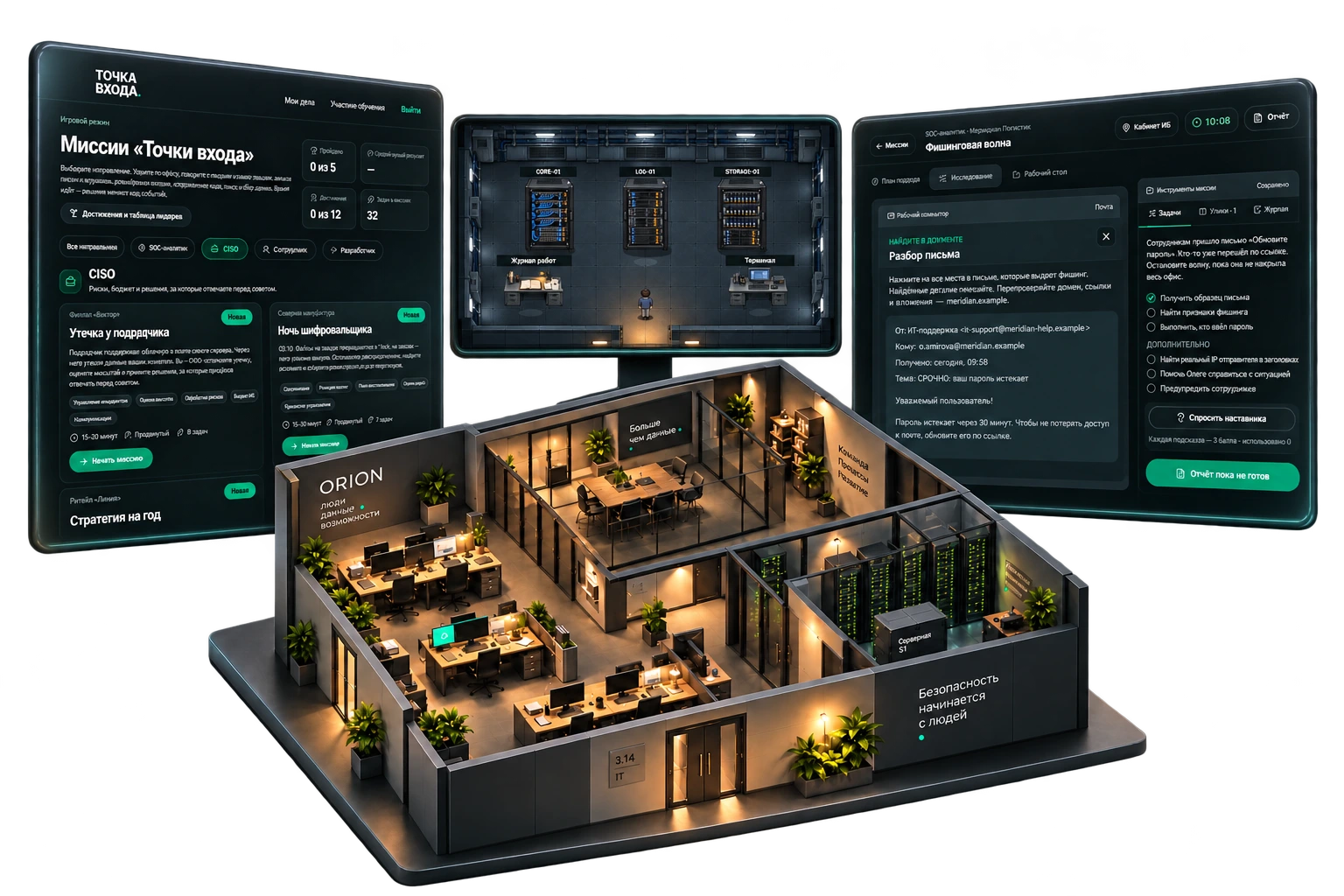
For all employees: recognise deception, protect accounts and handle information safely.
For analysts: investigate emails, logs and network evidence, then choose an appropriate response.
For developers: identify vulnerabilities in training code, fix them and receive feedback on the solution.
For CISOs and managers: assess business risk, allocate budgets and make decisions during incidents.
Practical training for employees and security teams.
Practise secure coding and release decisions.
Assignments, instructor-led sessions and results reviews.
The browser-based game works independently of Praxis LMS. We agree hosting, training groups and instructor access. SCORM 1.2 connects it to a learning system: the game runs on its own platform and sends results back to the LMS.
Identify participant roles, training goals and relevant missions.
See the learner journey, decisions and instructor workspace in a demonstration.
Agree hosting and LMS connectivity, set deadlines and review results together.
Need technical details?
Let's discuss your architecture and requirements.
Yes. Missions for CISOs, SOC analysts, employees and developers are implemented, alongside saved progress, assignments and group analytics. The demo shows a mission and its debrief.
Praxis LMS provides courses, an authoring tool and employee development, including digital hygiene training. Entry Point is a standalone game for applying skills through decisions and consequences. The products can be used together.
Yes, through SCORM 1.2. A package launches a mission on Entry Point and reports the best score and completion status. Learners need accounts in the assigned training group. We validate connectivity and result exchange before launch.
Yes. The CISO track covers incident management, risk assessment, security budgets, acquisition due diligence and business resilience. We do not claim separate ready-made programmes for every management position; we agree the audience when selecting missions.
The current game interface and scenarios are in Russian. Other languages and country-specific examples are discussed separately. Translation of this website does not imply localisation of the game.
Assignment deadlines and statuses, learner progress, mistakes, hints and final scores. Live sessions show where participants need help; group analytics guide follow-up practice.
See the game and results from both the learner and instructor perspective. We will select scenarios for your roles and discuss LMS connectivity.